
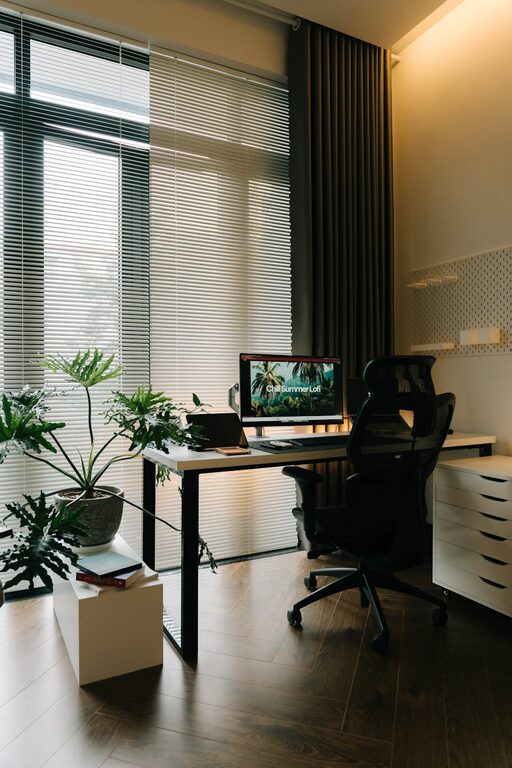
Creating a home office that promotes both peace and productivity is essential in today’s work-from-home culture. A well-planned workspace can improve focus, reduce stress, and help maintain a healthy work-life balance. Whether you have a dedicated room or just a corner of your home, these tips will help you design an environment that supports your best work.
Choose the Right Location
The first step is selecting the best spot in your home for your office. Ideally, this should be a quiet area with minimal distractions.
– Separate Space: If possible, set up your office in a separate room to help clearly define work time and personal time.
– Natural Light: Choose a place with good natural light. Sunlight boosts mood and energy.
– Avoid High-Traffic Areas: Try to avoid busy areas like the kitchen or living room where interruptions are common.
Invest in Comfortable and Functional Furniture
Comfortable furniture supports long hours of productive work.
– Ergonomic Chair: A chair with proper lumbar support prevents back pain.
– Adjustable Desk: Consider a desk that allows you to alternate between sitting and standing.
– Adequate Desk Space: Ensure your desk has enough room for your computer, documents, and other essentials without clutter.
Organise and Declutter
An organised workspace reduces stress and helps you focus on tasks.
– Storage Solutions: Use shelves, filing cabinets, or desk organisers to keep items tidy.
– Daily Clean-Up: Spend a few minutes at the end of each workday tidying your desk.
– Minimalist Approach: Keep only essential items on your desk to minimise distractions.
Control Lighting and Noise
Proper lighting and sound levels have a significant impact on concentration.
– Layered Lighting: Combine natural light with task lighting such as a desk lamp and ambient lighting.
– Noise Management: Use noise-cancelling headphones, white noise machines, or soft background music if external noise is an issue.
– Window Treatments: Curtains or blinds can help control glare and reduce outside noise.
Personalise Your Space Thoughtfully
Adding personal touches can make your office inviting but be mindful not to overdo it.
– Plants: Indoor plants improve air quality and create a calming atmosphere.
– Artwork and Photos: Choose inspiring images to keep you motivated.
– Scent: A subtle diffuser with essential oils like lavender or citrus can enhance relaxation and alertness.
Establish Routines and Boundaries
Your environment supports productivity best when paired with good habits.
– Set Working Hours: Consistent start and finish times help maintain balance.
– Define Break Times: Regular breaks prevent burnout and keep your mind fresh.
– Limit Digital Distractions: Use apps or browser extensions to block distracting websites during work hours.
Optimise Technology Setup
Smooth technology use reduces frustration and saves time.
– Reliable Internet: Ensure your connection supports video calls and file uploads/downloads efficiently.
– Ergonomic Accessories: Use a good quality keyboard and mouse to reduce strain.
– Cable Management: Keep wires organised with clips or trays to prevent tangling and clutter.
Consider Air Quality and Temperature
Comfortable air and temperature enhance concentration.
– Ventilation: Open windows regularly or use an air purifier for fresh air.
– Temperature Control: Use a fan or heater to keep your office at a comfortable temperature.
Maintain Work-Life Balance
Lastly, your peaceful and productive office should remind you to switch off.
– End-of-Day Ritual: Create a routine that signals the end of work, like shutting your laptop and tidying the area.
– Physical Separation: If possible, close the office door or use a screen to separate work from home life.
– Social Interaction: Don’t forget to connect with friends, family, or colleagues to maintain wellbeing.
—
Designing your home office with a focus on peace and productivity involves careful attention to space, comfort, organisation, and routine. By making thoughtful changes, you can create a workspace where you enjoy spending time and performing at your best.